> For the complete documentation index, see [llms.txt](https://docs.messageflow.com/llms.txt). Markdown versions of documentation pages are available by appending `.md` to page URLs; this page is available as [Markdown](https://docs.messageflow.com/account/user-panel/application-logs.md).
# Application logs
The **Application logs** tab serves as a system event journal. It grants administrators full visibility into actions performed by all users with access to the MessageFlow web application.
This is a crucial tool for security verification and for auditing changes made to the team configuration.
### **Search and Filtering**
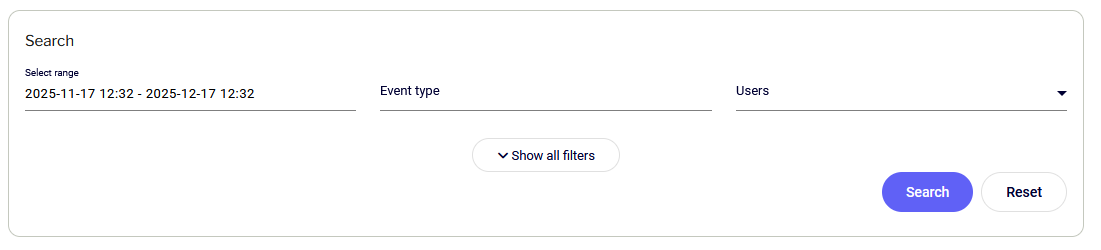
The dashboard enables you to quickly locate specific actions using filters positioned above the results table:
* **Select range:** Defines the time frame for displayed logs (by default, the system shows history from the last 30 days).
* **Event type:** Enables the selection of a specific action category. The system records events such as:
* Logged into panel (authorization history).
* User added (granting access to a new person).
* User removed (revoking permissions).
* User rights edited (changing roles and access levels).
* **Users:** Allows you to isolate and view the activity of a specific team member (by email address).
### **Event Register**
Results are presented as a chronological list. Individual columns provide the following information:
* **Time and date:** The exact moment the event occurred.
* **Section:** The area of the system the action concerned (e.g., *Account*, *Administration*).
* **Event:** Name of the performed action.
* **User:** Login of the person who initiated the action.
* **IP:** IP address of the device from which the operation was performed. This is essential information when verifying unauthorized access attempts.
#### Details Preview
Rows in the table are interactive. Clicking on any event expands a section with detailed system messages regarding that specific operation.