> For the complete documentation index, see [llms.txt](https://docs.messageflow.com/llms.txt). Markdown versions of documentation pages are available by appending `.md` to page URLs; this page is available as [Markdown](https://docs.messageflow.com/email/e-mail-api/analytics/bounce-report.md).
# Bounce report
This tab is key for monitoring deliverability issues. It allows for a detailed analysis of the dynamics and types of bounces (undelivered messages), dividing them into permanent (Hardbounce), temporary (Softbounce), and spam-related (Spambounce) errors.
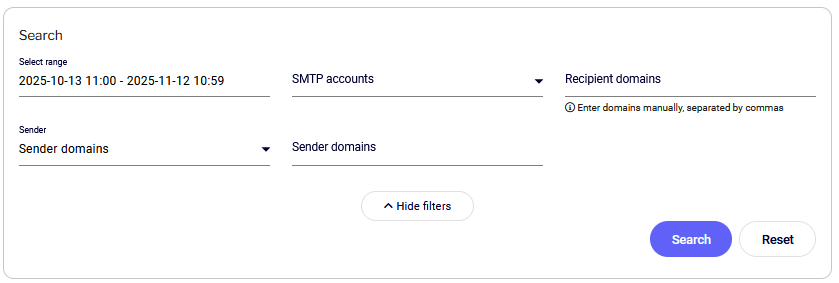
### Search Filters
This section allows you to filter data by:
* **Date range:** Allows you to select the analysis period.
* **SMTP Accounts**
* **Recipient domains**
* **Sender:** Option to filter by **Sender Domains** or **Sender Addresses**.
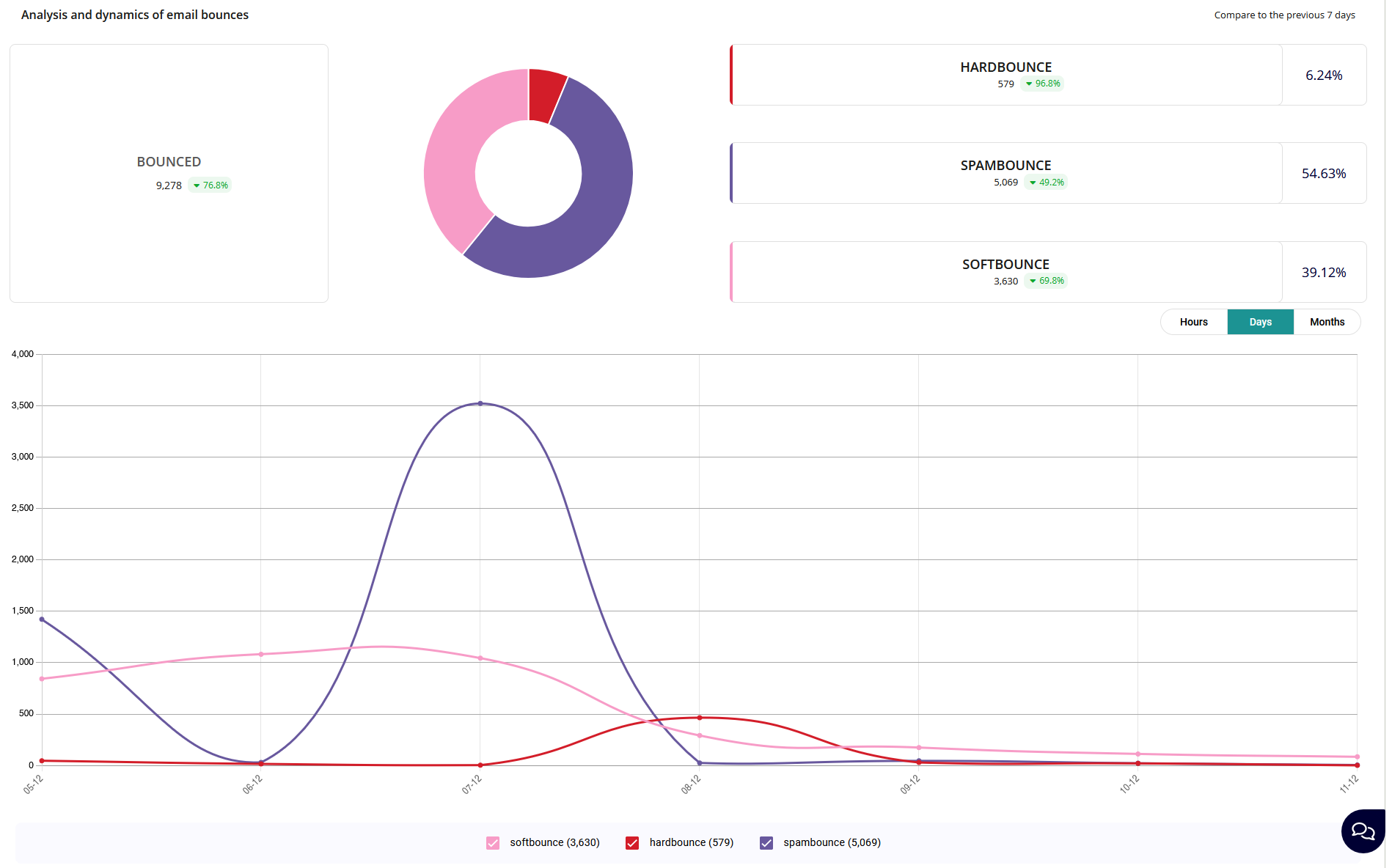
### Analysis and dynamics of email bounces
The report presents data in several formats:
* **BOUNCED tile:** Displays the total number of bounces along with the percentage change compared to the previous, selected period.
* **Pie chart:** Shows the percentage breakdown of bounces into three categories. Hovering over it reveals detailed data for Hardbounce, Spambounce, and Softbounce (including count, percentage change, and percentage share of all bounces).
* **Line chart:** Shows the dynamics of the three bounce categories over time (hourly, daily, monthly). Hovering over the chart displays a breakdown of softbounce, hardbounce, and spambounce counts at that point in time.
### Bounce category definitions
* **Hardbounce:** A permanent delivery error; the email address does not exist, the domain is incorrect, or the mailbox has been deleted.
* **Softbounce:** A temporary problem with delivery (e.g., recipient's mailbox is full).
* **Spambounce:** The message was rejected because the recipient's server classified it as spam or blocked it due to local anti-spam policy.