> For the complete documentation index, see [llms.txt](https://docs.messageflow.com/llms.txt). Markdown versions of documentation pages are available by appending `.md` to page URLs; this page is available as [Markdown](https://docs.messageflow.com/email/e-mail-api/analytics/recipients-domain-report.md).
# Recipients domain report
This report is for detailed analysis of results for specific, manually selected recipient domains. Use it to check how your messages are performing, for example, for a key customer or business partner (unlike the "Mail providers report" which shows an automatic TOP 10).
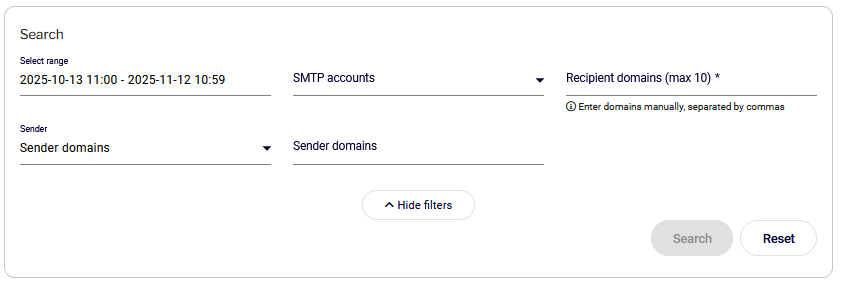
### Search Filters
This section allows you to filter data by:
* **Date range:** Allows you to select the analysis period.
* **SMTP accounts**
* **Recipient domains** **(Required):** Manual entry of up to 10 domains.
* **Sender:** Filtering by **Sender Domains** or **Sender Addresses**.
### Results for selected recipient domains
Data is presented in two views:
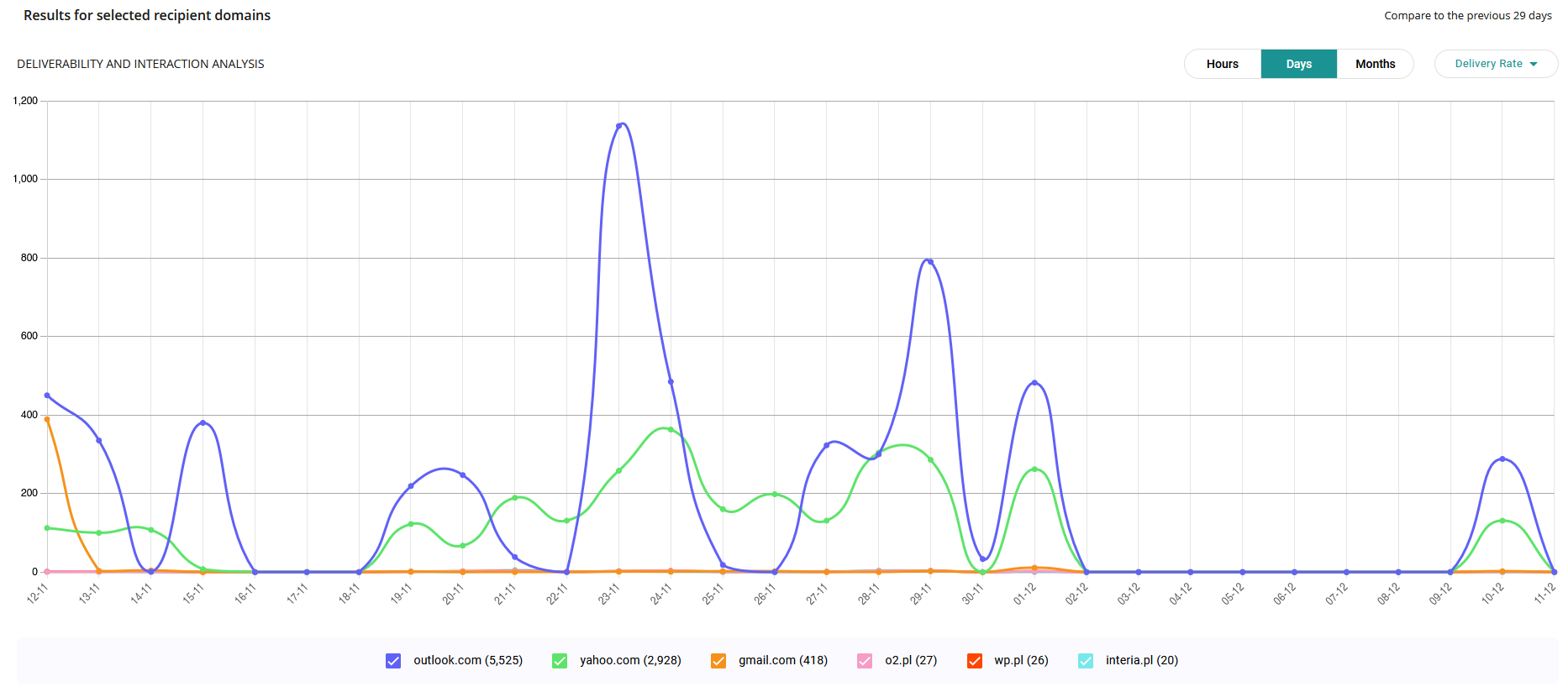
#### Chart (Deliverability and interaction analysis)
Allows tracking trends for the selected domains in hourly, daily, or monthly views. It allows analysis of: Delivery Rate, Click Rate, Open Rate, and Bounce Rate.
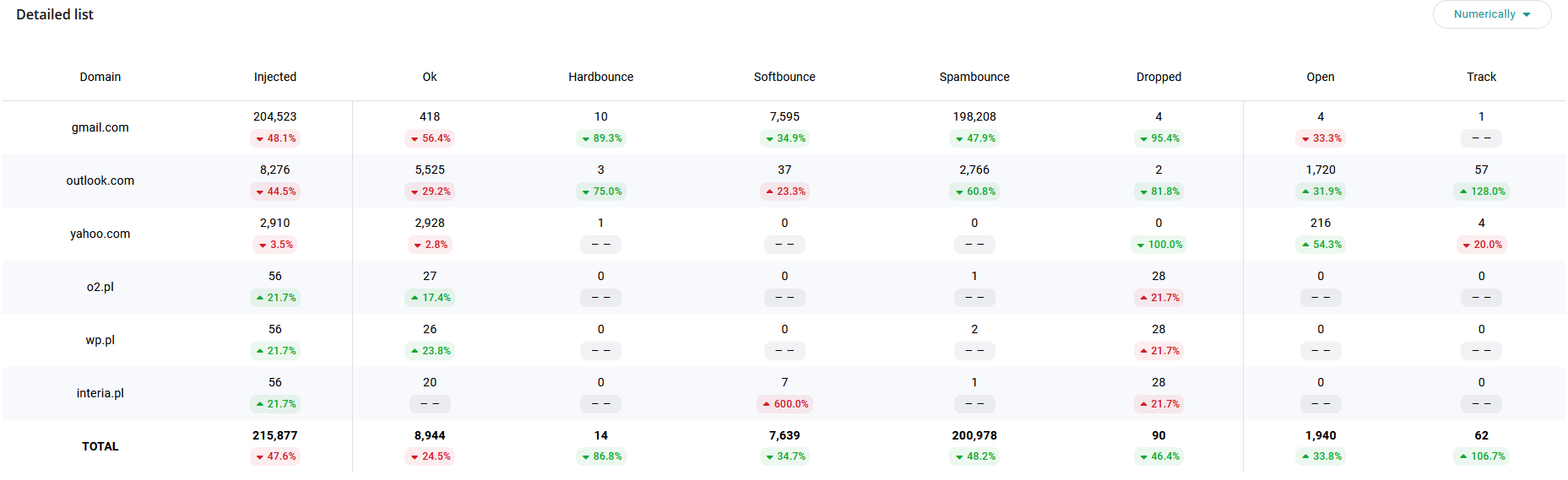
#### Table (Detailed summary)
Presents raw data for the selected domains in columns: Domain, Injected, Ok, Hardbounce, Softbounce, Dropped, Open, Track. The table has a toggle to display data in numeric or percentage view.
{% hint style="info" %}
For a full explanation of all message statuses (Injected, OK, Softbounce, Spambounce, Hardbounce, Dropped, Deferred, Open, Track, Feedback), see [Message Statuses](https://docs.messageflow.com/email/message-statuses).
{% endhint %}