> For the complete documentation index, see [llms.txt](https://docs.messageflow.com/llms.txt). Markdown versions of documentation pages are available by appending `.md` to page URLs; this page is available as [Markdown](https://docs.messageflow.com/email/e-mail-campaigns/campaigns/creating-e-mail-campaigns/creating-and-downloading-message-templates.md).
# Creating and downloading message templates
## **Creating a message template**
While creating a message in the editor, you have the option to save it as a template.
1. To save the message as a template, click the **Save as new template** button located in the top bar of the panel:
2. Then enter the template name and click **Save**.
3. Once saved, the message template will appear in the first step of creating an email campaign: **Email creation**, under the **Your templates** tab.
## **Downloading a message template**
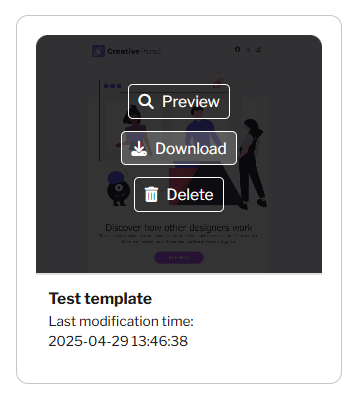
1. To download a message template, go to the **Your templates** tab in the first step of creating an email campaign: **Email creation**. Hover over the selected template and click **Download**.
2. The message template will be downloaded directly to your device. The downloaded file will be named **index.html**.
{% hint style="warning" %}
Templates by default include an unsubscribe link for panel-based campaigns. If you do not remove this link, download the HTML template, and use it in an API send, the unsubscribe link will not be clickable.
{% endhint %}


.png?alt=media&token=b380819b-df78-45b8-bc5d-89188a378ba8)