> For the complete documentation index, see [llms.txt](https://docs.messageflow.com/llms.txt). Markdown versions of documentation pages are available by appending `.md` to page URLs; this page is available as [Markdown](https://docs.messageflow.com/email/e-mail-campaigns/campaigns/exporting-campaigns-from-the-list.md).
# Exporting campaigns from the list
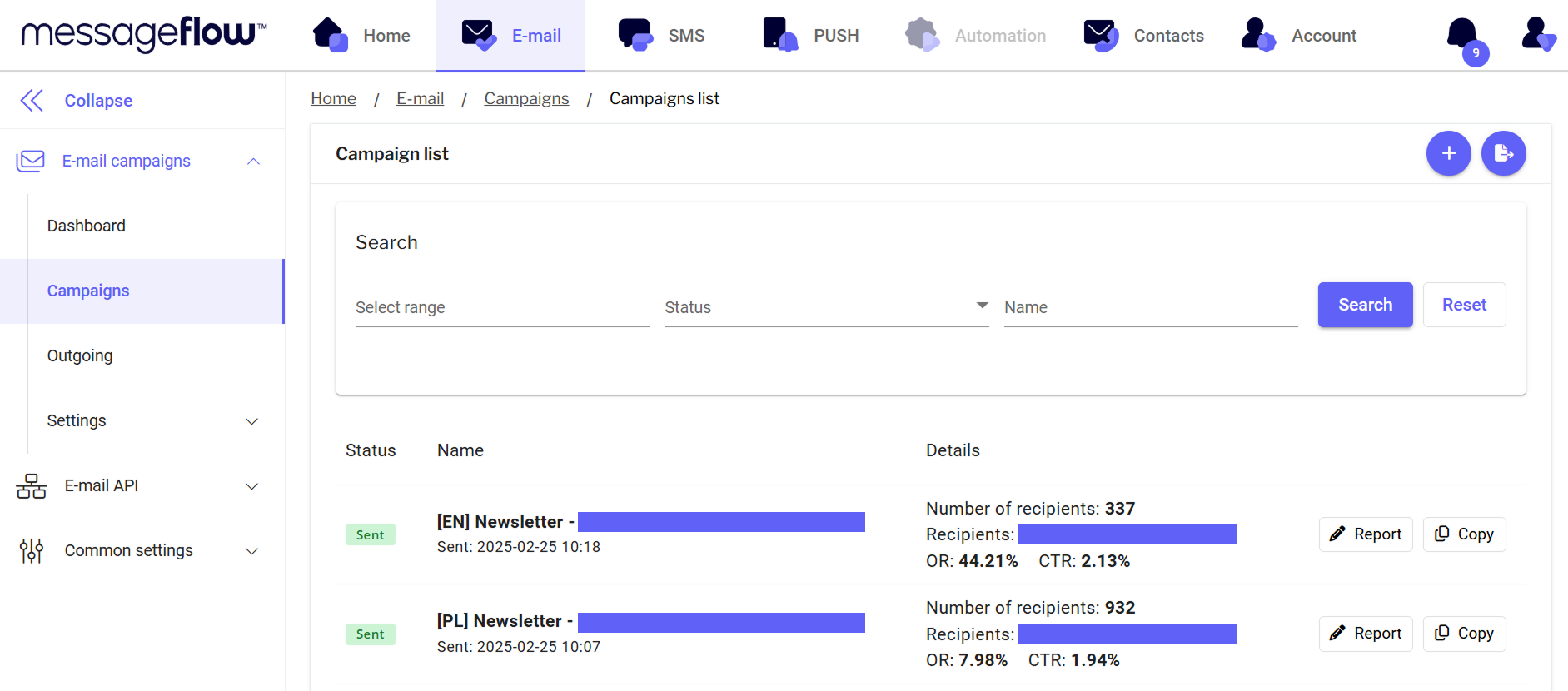
Using the export button in the top right corner of the panel, you can export the campaign list.
1. Click the **Export** button in the top right corner.
2. Once the export is ready, you will receive an email notification.
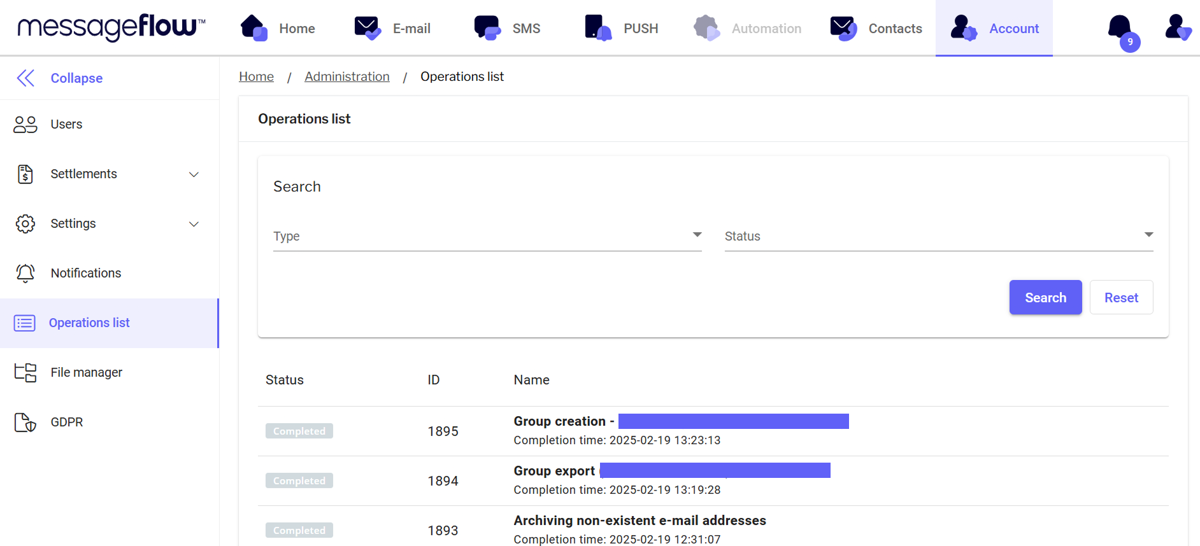
3. You can find the completed file in the **Operations List**:
* Go to the **Account** tab (select Account from the top menu):
* Select **List of operations** from the left menu:
* Your file will be first on the list - using the **Download** button you can download the file to your drive.
4. The export file contains such information as:
* **Status** - Campaign status (edited, sent, etc.)
* **Campaign** - the name of the campaign
* **Shipping time** - date and time of shipment
* **Subject** - title of the message
* **Id** - shipping number
* **Number of recipients** - the number of recipients of the campaign
* R**eport OK\[%]** - percentage of messages correctly delivered
* **uCTR\[%] -** percentage of unique clicks about messages correctly delivered
* **uCTR** - number of unique clicks
* **uOR\[%]** - percentage of unique opens about messages correctly delivered
* **uOR** - number of unique openings
* **uCTR/OR\[%]** - percentage of unique clicks to openings
* **uCTR/OR** - ratio of unique clicks to opens
* **CTR\[%]** - percentage of all clicks about messages correctly delivered
* **CTR** - number of all clicks OR\[%] - percentage of all opens about messages correctly delivered
* **OR** - number of total openings
* **CTR/OR\[%]** - percentage of all clicks about all openings
* **CTR/OR** - ratio of all clicks to all opens
* **From address** - sender's e-mail address
* **From name** - sender name
* **Reply-to** - e-mail address indicated as return
* **Link tracking** - number of links tracked
* **Google Analytics** - connection to Google Analytics
* **Description** - additional description of the campaign
* **Login** - login of the user who sent the campaign
* **Unsubscribed** - the number of people who clicked unsubscribe after receiving the message