> For the complete documentation index, see [llms.txt](https://docs.messageflow.com/llms.txt). Markdown versions of documentation pages are available by appending `.md` to page URLs; this page is available as [Markdown](https://docs.messageflow.com/email/sender-security/senders-authorization/how-to-authorize-senders-in-messageflow/authorizing-domains-with-web-hosts/authorizing-a-domain-hosted-at-cloudflare.md).
# Authorizing a domain hosted at Cloudflare
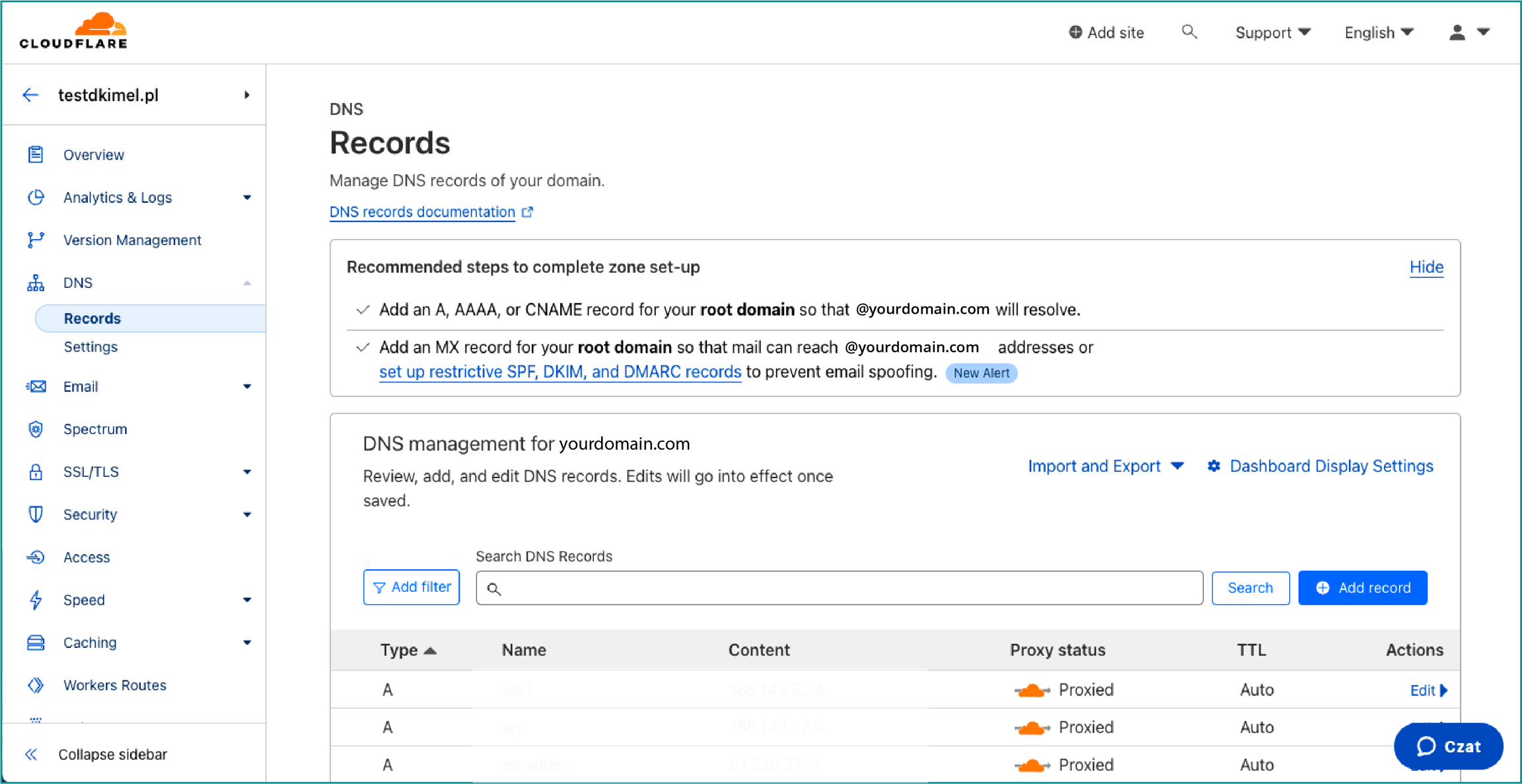
1. Log in to your Cloudflare dashboard. Then, select the appropriate account and domain.
2. From the left-hand menu, select the **DNS** tab, and then click on **Records**.
3. Select the **+Add record** button.
4. Configure the new CNAME record:
* In the **Type** field, select **CNAME**.
* In the **Name** field, enter your-selector.\_domainkey.
{% hint style="warning" %}
Note: Do not include your domain name in this field.
{% endhint %}
* In the **Target** field, enter the appropriate value that was generated in your MessageFlow panel.
* Ensure that **Proxy status** is set to **DNS only.**
* Set **TTL** to **Auto** or **1 minute**.
5. Click **Save** to update the changes.
### Verifying Authorization:
Allow time for the DNS system to confirm the changes. This process may take anywhere from a few minutes to 24 hours, depending on the DNS record propagation time.
Verify that the DKIM configuration has been successfully completed by clicking the **Verify** button in your MessageFlow panel. If the entry's status changes to **Verified**, it means the authorization was successful.
{% hint style="info" %}
If you have questions or concerns, we recommend that you contact your hosting provider's support department directly so that you receive precise and most up-to-date instructions for your account.
{% endhint %}