> For the complete documentation index, see [llms.txt](https://docs.messageflow.com/llms.txt). Markdown versions of documentation pages are available by appending `.md` to page URLs; this page is available as [Markdown](https://docs.messageflow.com/email/sender-security/senders-authorization/how-to-authorize-senders-in-messageflow/authorizing-domains-with-web-hosts/authorizing-a-domain-hosted-at-cyber_folks.md).
# Authorizing a domain hosted at cyber\_Folks
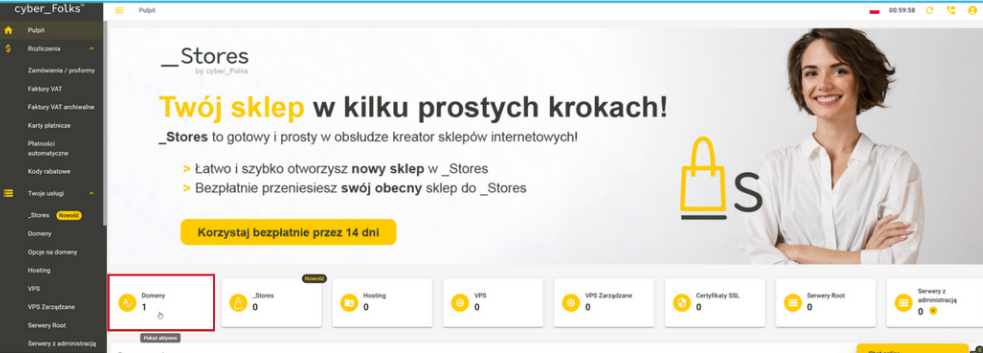
1. Log in to the Customer Panel of the cyber\_Folks service.
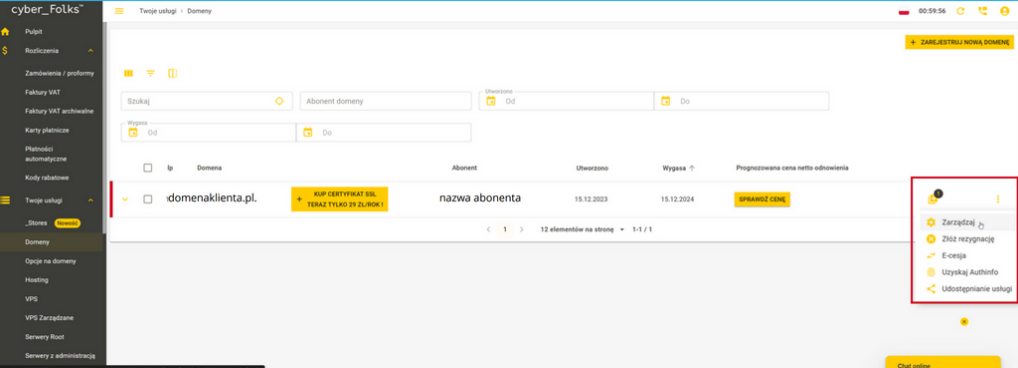
2. Then click on "Domains" to see active domains.
3. Next, select the domain where you want to configure the shipping domain.
4. From the drop-down menu on the right, select "Manage"
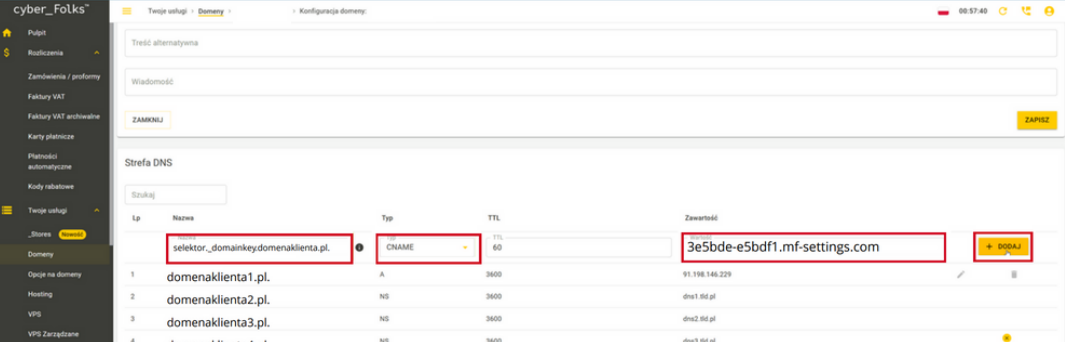
5. In the "Name" field, enter the domain with the string: selector.\_domainkey.yourjadomena.pl. \[make sure the value ends with "."].
6. Select the "CNAME" record type.
7. In the "Content" field, enter the value that was generated in the MessageFlow panel.
8. Then click "Add." If you have any questions or concerns, we recommend that you contact your hosting provider's support department directly so that you receive precise and most up-to-date instructions for your account.
9. Wait for the DNS system to approve the changes. This may take from a few minutes to 24 hours. This depends on the propagation of DNS records.
{% hint style="info" %}
If you have questions or concerns, we recommend that you contact your hosting provider's support department directly so that you receive precise and most up-to-date instructions for your account.
{% endhint %}