> For the complete documentation index, see [llms.txt](https://docs.messageflow.com/llms.txt). Markdown versions of documentation pages are available by appending `.md` to page URLs; this page is available as [Markdown](https://docs.messageflow.com/pl/mobile-push/push-api/dashboard.md).

# Dashboard

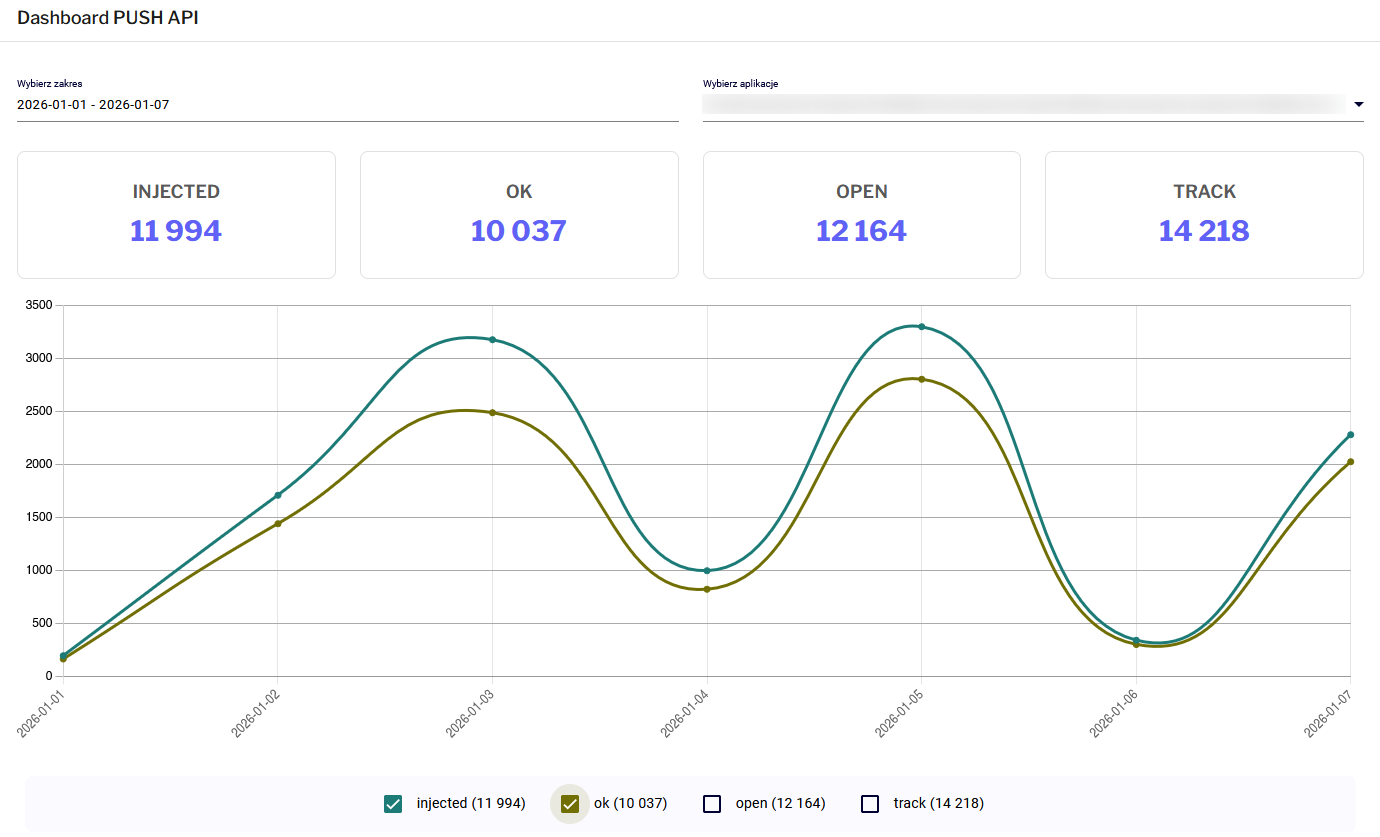
Zakładka **Dashboard** (dostępna w menu: PUSH API -> Dashboard) dostarcza wizualne podsumowanie wyników Twoich kampanii API w czasie rzeczywistym.

#### Filtrowanie danych

Górny panel pozwala zawęzić widok statystyk:

* **Wybierz zakres**: Definiuje przedział czasowy analizy.
* **Wybierz aplikacje**: Pozwala wyświetlić dane dla wszystkich lub tylko wybranych aplikacji mobilnych zintegrowanych z kontem.

#### Wskaźniki skuteczności (KPI)

Kluczowe metryki prezentowane są na kafelkach oraz wykresie:

* **INJECTED**: Liczba powiadomień poprawnie przyjętych przez system MessageFlow.
* **OK**: Liczba powiadomień potwierdzonych jako dostarczone do serwerów pośredniczących (FCM/APNS).
* **OPEN**: Liczba powiadomień klikniętych (otwartych) przez użytkowników.
* **TRACK**: Liczba zarejestrowanych interakcji, np. kliknięć w linki wewnątrz powiadomienia.

<figure><img src="/files/7AWSMWZasN9Pvk5WYGTU" alt=""><figcaption></figcaption></figure>

#### Wykres i Aplikacje

* **Wykres liniowy**: Wizualizuje dynamikę wysyłek w czasie. Klikając w legendę pod wykresem (checkboxy), możesz włączać i wyłączać poszczególne linie (np. porównać tylko *Injected* vs *Open*).
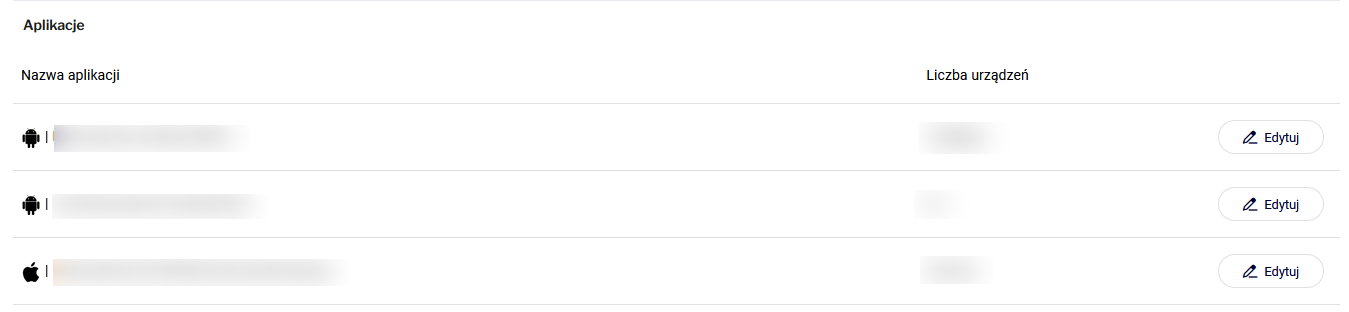
* **Tabela Aplikacje**: Poniżej wykresu znajduje się zestawienie wolumenu wysyłek z podziałem na poszczególne aplikacje.
<figure><img src="/files/maWqyN0aA9b6v9fvvkZa" alt=""><figcaption></figcaption></figure>

<figure><img src="https://lh7-qw.googleusercontent.com/docsz/AD_4nXdSAkK5QZegw8LfWx-zmvImIRfo8BBSrLEKnqUlZc7Z9XtLnGzyaPuMDFvu0z5MKPWPByHedRrgT9slRlkBmWrfQpCmbdzNmWJXbMz7kr3nl7TBfgrE3vRombIiDm2jXPq2UQ_i?key=drn98Fd25WvnH8e27qd2Ji-K" alt=""><figcaption></figcaption></figure>

<br>


---

# Agent Instructions
This documentation is published with GitBook. GitBook is the documentation platform designed so that both humans and AI agents can read, navigate, and reason over technical content effectively. Learn more at gitbook.com.

## Querying This Documentation
If you need additional information that is not directly available in this page, you can query the documentation dynamically by asking a question.

Perform an HTTP GET request on the current page URL with the `ask` query parameter, and the optional `goal` query parameter:

```
GET https://docs.messageflow.com/pl/mobile-push/push-api/dashboard.md?ask=<question>&goal=<endgoal>
```

`ask` is the immediate question: it should be specific, self-contained, and written in natural language.
`goal` is optional and describes the broader end goal you are ultimately trying to accomplish on behalf of the user. GitBook uses it to tailor the answer towards what is most useful for that goal.

The response will contain a direct answer to the question and relevant excerpts and sources from the documentation.

Use this mechanism when the answer is not explicitly present in the current page, you need clarification or additional context, or you want to retrieve related documentation sections.
