> For the complete documentation index, see [llms.txt](https://docs.messageflow.com/llms.txt). Markdown versions of documentation pages are available by appending `.md` to page URLs; this page is available as [Markdown](https://docs.messageflow.com/sms/sms-api/dashboard.md).
# Dashboard
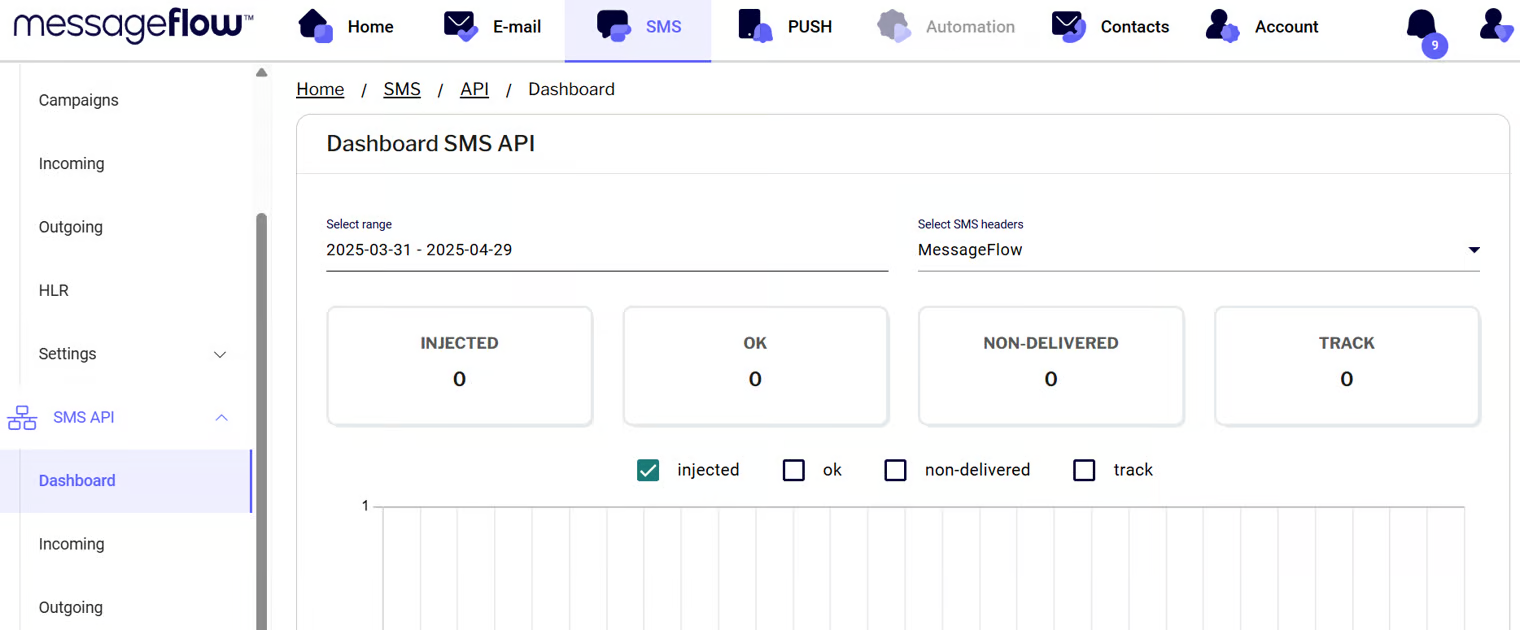
In the **SMS API Dashboard** view, you can monitor SMS campaign sends via the API. On this screen, you can filter the sends by:
* Date range
* SMS headers used to send the campaigns
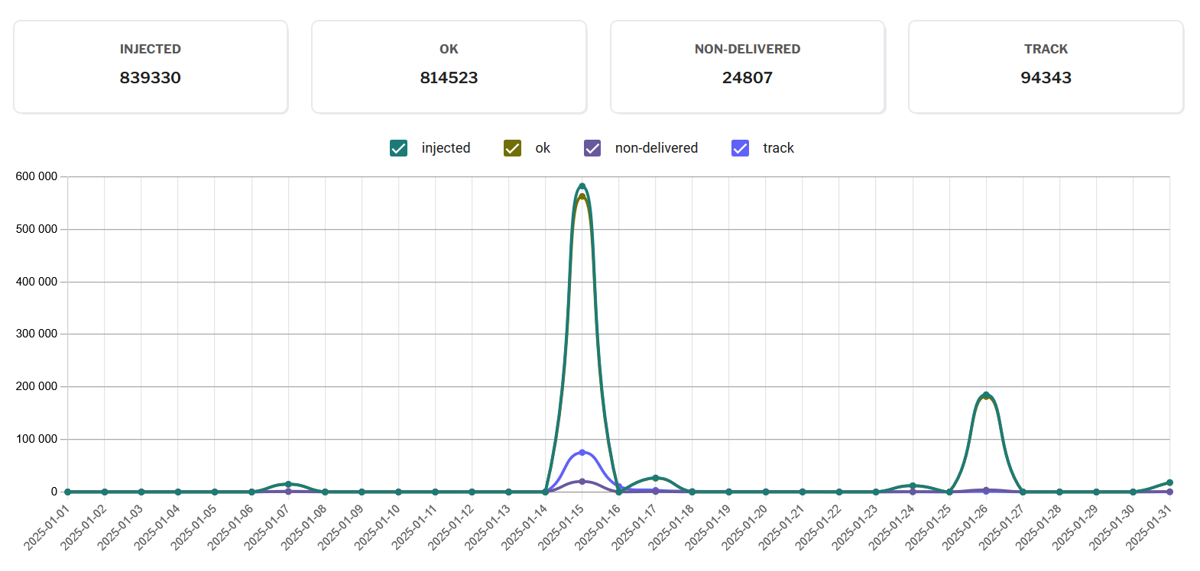
* **Message statuses** – the dashboard provides a summary of campaign statuses:
* **Injected** – messages received by the MessageFlow panel
* **OK** – messages successfully delivered to recipients
* **Non-delivered** – messages that were not delivered
* **Track** – messages that are being tracked (e.g., due to link clicks)
* **Chart** – displays a line distribution of messages over time. Using the checkboxes, you can select statuses such as injected, ok, non-delivered, and track to see when campaigns were run, how many messages were received by the panel, and how many were successfully delivered.