# Authorizing a domain hosted at Nazwa.pl

1. Log in to the customer panel at Nazwa.pl
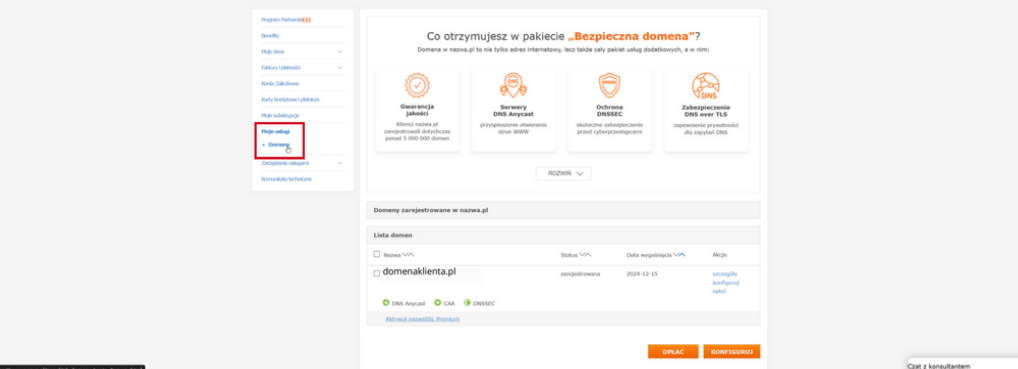
2. From the menu on the left, select "My Services" and click "Domains."

<figure><img src="https://content.gitbook.com/content/DIGjHYIXYoHyJoOeeUgD/blobs/2c9CIaG1LEv5vDrtMUZj/image.png" alt=""><figcaption></figcaption></figure>

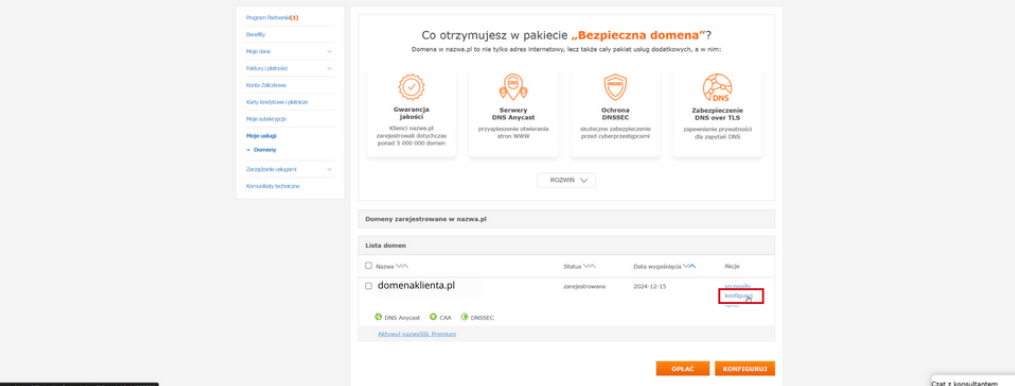
3. Click "Configure" to create records for the selected domain.

<figure><img src="https://content.gitbook.com/content/DIGjHYIXYoHyJoOeeUgD/blobs/JggENXgNAJfS7o2BJ5yX/image.png" alt=""><figcaption></figcaption></figure>

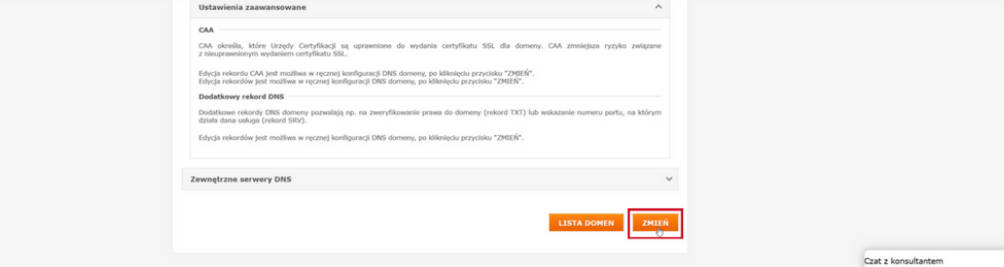
4. Then, at the bottom of the page, click "Change" to proceed to the next configuration step.

<figure><img src="https://content.gitbook.com/content/DIGjHYIXYoHyJoOeeUgD/blobs/TAGwIcZF7GcvTI3eRCbq/image.png" alt=""><figcaption></figcaption></figure>

5. Then click on the "Add new record" option.

<figure><img src="https://content.gitbook.com/content/DIGjHYIXYoHyJoOeeUgD/blobs/JYImDPXvsLwBgf13Jjg7/image.png" alt=""><figcaption></figcaption></figure>

6. Select the record type "CNAME"
7. Complete the required fields. In the "Name" field o : selector.\_domainkey.yourjadomena.pl
8. Complete the "Value" field with the value that was generated in the MessageFlow panel.
9. Click on the "Approve" option to save your changes.\
   &#x20;

   <figure><img src="https://content.gitbook.com/content/DIGjHYIXYoHyJoOeeUgD/blobs/jwOp4HX3SmJQvqXRvedB/image.png" alt=""><figcaption></figcaption></figure>
10. Waiting for the DNS system to approve changes can take several minutes or hours. It all depends on the propagation of DNS records.

{% hint style="info" %}
If you have questions or concerns, we recommend that you contact your hosting provider's support department directly so that you receive precise and most up-to-date instructions for your account.
{% endhint %}